 Back to Blog
 Troubleshooting IKEA Matter over Thread Devices: Architecture, Failure Modes, and Practical Fixes
IKEA’s latest generation of smart home devices is one of the most ambitious mass-market deployments of Matter over Thread to date. With aggressively low pricing and broad ecosystem compatibility, the lineup promises seamless integration across Apple Home, Google Home, Amazon Alexa, Home Assistant, and other Matter-capable platforms. On paper, the proposition is compelling: inexpensive devices that speak a universal smart home language and operate on a resilient mesh network.
In practice, however, early adopters have encountered inconsistent onboarding behavior, disappearing devices, unreliable event propagation, and firmware update failures. These problems are not confined to a single ecosystem. Rather, they vary depending on architecture choices, firmware versions, and network configuration.
Understanding the interaction between Matter, Thread, and platform-specific implementations is essential to achieving a stable deployment. Let’s get started:
Understanding the Architecture: Matter and Thread in Context
Before examining failure patterns, it is necessary to clarify how these devices operate at a network level.
Thread: The Transport Layer
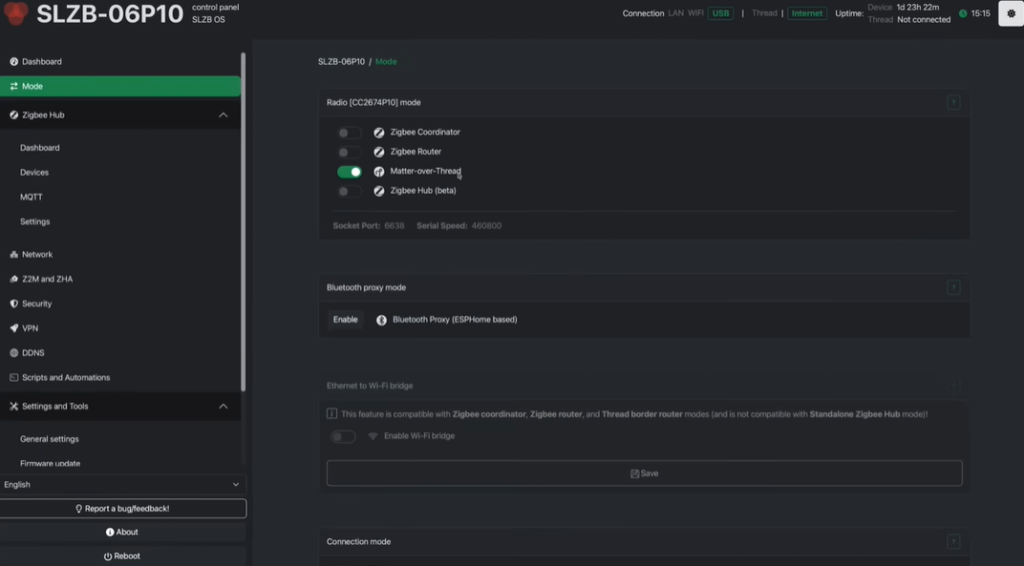
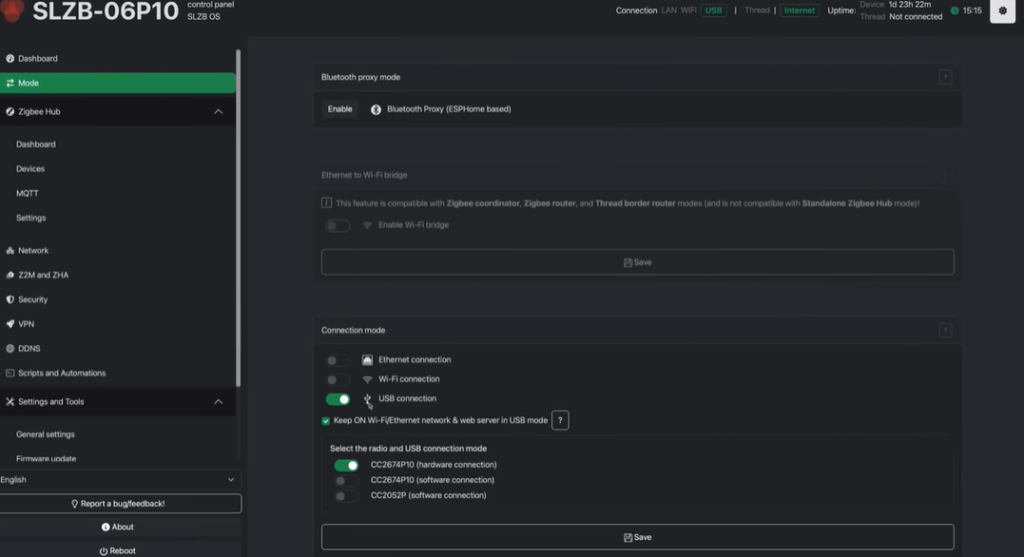
Thread is a low-power, IPv6-based mesh networking protocol designed for smart home devices. Unlike traditional Wi-Fi devices, Thread endpoints do not connect directly to a home router. Instead, they form a self-healing mesh network that requires a Thread Border Router to bridge traffic between the Thread mesh and the local IP network.
Common Thread Border Routers include:
- Apple TV 4K
- HomePod mini
- Homey Pro
- DIRIGERA
The border router advertises routes to the Thread network via IPv6 router advertisements. Any controller communicating with Thread devices must correctly interpret these advertisements to ensure traffic is routed to the border router rather than to the main home gateway.
Matter: The Application Layer
Matter operates above Thread as the application protocol that standardizes device discovery, onboarding, control, and multi-platform interoperability. It introduces the concept of “fabrics,” which allow multiple controllers to manage a single device via multi-admin functionality. In theory, this enables a device to be paired simultaneously with different ecosystems.
However, real-world deployments reveal that multi-admin introduces state synchronization and subscription complexities that are not yet consistently implemented across platforms.
DIRIGERA as a Standalone Matter Controller
With firmware 2.805.6 and later, DIRIGERA transitioned from being a Zigbee bridge to becoming a full Matter controller with built-in Thread Border Router functionality. This change allows it to onboard Thread-based Matter devices directly and operate an independent Thread mesh.
Common Failure Patterns
Several recurring issues have been reported when using DIRIGERA as the primary controller. Some devices stall during onboarding with messages indicating Thread connectivity problems. Others successfully join the network but fail to propagate events when bridged to external ecosystems. In certain cases, new Thread devices do not appear through the Matter bridge at all.
These symptoms suggest inconsistencies in both Thread association and Matter bridge exposure.
Practical Stabilization Steps
Stability improves significantly when the following conditions are met:
- Update DIRIGERA firmware to the latest 2.8x release or newer: Later firmware versions include multiple Matter controller and Thread stability fixes that directly address onboarding and routing issues.
- Pair devices within one to two meters of the hub during initial onboarding. Although Thread operates as a mesh network, the initial join procedure is sensitive to signal strength and route stability. A strong first association reduces the likelihood of incomplete commissioning.
- Ensure devices are still within the automatic pairing window. New devices remain in pairing mode for approximately fifteen minutes after power-up. Once that window expires, a manual reset sequence must be performed before attempting onboarding again.
- Use a 2.4 GHz Wi-Fi connection during commissioning. Onboarding over 2.4 GHz reduces roaming behavior and minimizes network segmentation issues that can interfere with Matter discovery and provisioning.
Home Assistant Without DIRIGERA
When integrating IKEA’s Matter devices directly into Home Assistant, a different set of issues tends to surface. Users frequently report onboarding sequences that appear successful at the device level but fail during final confirmation. Others observe that sensors initially report correctly and then stop transmitting updates.
IPv6 Configuration and Routing Failures

A critical root cause identified in several environments involves static IPv6 configuration. When Home Assistant is configured with static IPv6 addressing, it may ignore router advertisements emitted by the Thread Border Router. As a result, outbound packets destined for Thread devices are misrouted to the primary home router instead of the border router.
This misrouting produces a deceptive onboarding experience: the device joins successfully, but subsequent communications time out. Switching IPv6 configuration to automatic allows Home Assistant to learn the correct route, restoring reliable communication.
Firmware Update Constraints
Firmware update failures have also been observed, particularly during over-the-air (OTA) installations. Updating the Matter Server to version 8.2.2 or later and enabling the beta matter.js implementation resolves many of these errors. The improved stack handles OTA transactions more reliably and ensures proper processing of update files.
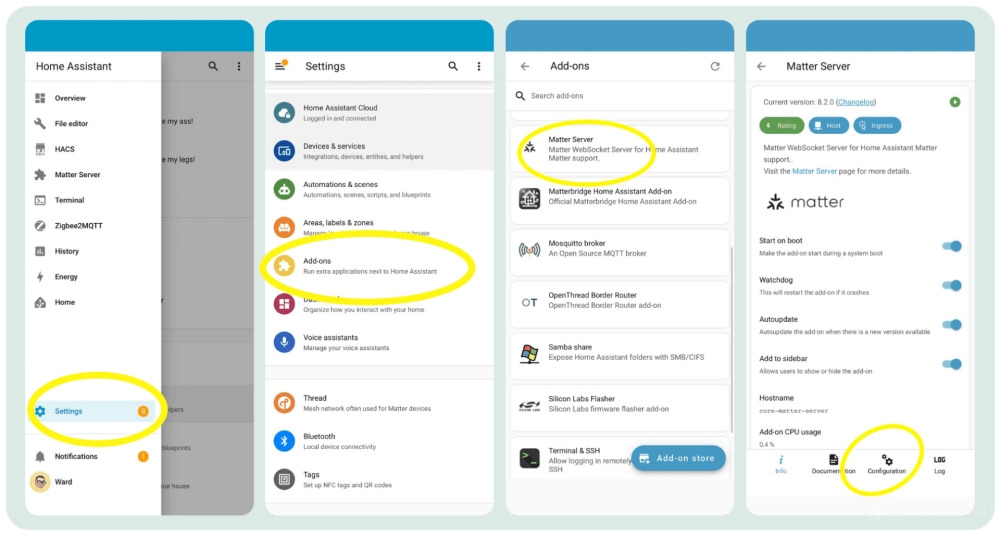
Using the Home Assistant mobile application for onboarding instead of the web interface also improves commissioning success rates, likely due to more consistent handling of QR-based provisioning flows.
Bridging DIRIGERA into Home Assistant
Combining DIRIGERA and Home Assistant introduces additional layers of complexity. In this architecture, DIRIGERA manages the Thread mesh while Home Assistant consumes devices via Matter bridging.
Observed Bridge Inconsistencies
In some deployments, Zigbee-based IKEA devices appear correctly in Home Assistant, while Thread-based Matter devices remain absent. In others, Thread devices appear but cease updating after several minutes. Restarting the Matter server temporarily restores functionality, suggesting subscription expiration or event propagation issues.
These behaviors highlight two independent variables: how DIRIGERA exposes bridge children and how Home Assistant maintains Matter subscriptions.
Architectural Simplification
A recurring stabilization strategy involves designating a single platform as the authoritative Thread and Matter controller. Either devices are paired directly to Home Assistant and then exposed to other ecosystems via cloud integrations, or DIRIGERA is retained as the primary controller with Home Assistant consuming devices for automation only. Attempting full multi-admin exposure across multiple platforms simultaneously increases the likelihood of desynchronization.
Homey Pro Considerations
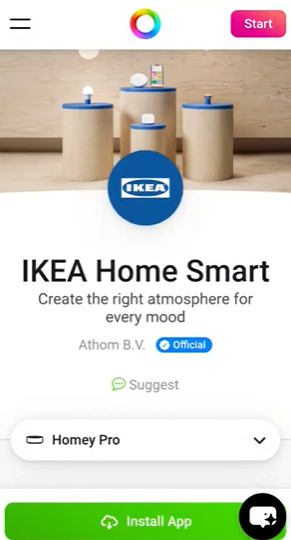
On Homey Pro, IKEA Matter devices may initially appear as generic or non-functional endpoints. This behavior stems from missing device definitions within the platform.
Installing the official IKEA Smart Home application within Homey resolves this issue by supplying the required device templates and capabilities. Without this app, devices lack proper cluster mappings and control interfaces.
Firmware Update Workaround
Homey Pro currently does not support firmware updates over Matter. A temporary workaround involves leveraging multi-admin to add the device to Google Home or Apple Home for the sole purpose of firmware distribution. The device can remain paired to Homey while receiving updates from the secondary controller, provided commissioning codes are used correctly.
It is worth noting that certain Homey firmware versions have introduced broader Thread instability affecting multiple vendors, indicating that not all observed failures are device-specific.
Voice Platforms: Apple, Amazon, and Google
Voice ecosystem integrations reveal additional fragility in Matter implementations.
Apple Home
In Apple Home, devices may stall during onboarding and eventually time out. Reports indicate that repeated add/remove cycles can leave a residual state within the ecosystem, which sometimes resolves after a delay. When using DIRIGERA as a bridge, newly added devices may fail to appear until both the hub and Apple border router devices are restarted.
Amazon Alexa
Within Amazon Alexa, buttons may briefly function before disappearing. Multi-admin reuse of commissioning codes across multiple fabrics can produce vague failures. A more stable pattern involves selecting a primary controller and exposing devices to Alexa via official skills rather than direct multi-admin pairing.
Google Home
Google Home has demonstrated inconsistent support for button triggers and automation visibility. Devices may appear connected while failing to trigger routines. Integration relinking can temporarily restore functionality, but architectural simplification remains the most consistent mitigation strategy.
Multi-Admin: Powerful in Theory, Fragile in Practice
Matter’s multi-admin capability is one of its defining features, allowing devices to join multiple fabrics simultaneously. However, this flexibility introduces synchronization challenges related to subscription lifecycles, bridge exposure, and controller state reconciliation.
Across ecosystems, direct multi-admin pairing of the same physical device to multiple primary controllers correlates strongly with instability. A simplified topology, where one controller owns the Thread mesh and others consume devices via integrations, significantly reduces failure rates.
Stabilization Strategy and Deployment Guidance
A reliable deployment begins with foundational network hygiene. All hubs, routers, and devices should run current firmware. Devices should be paired near the Thread Border Router to ensure a strong initial association. IPv6 configuration should allow router advertisements to propagate correctly, particularly in Home Assistant environments.
Architecturally, selecting a single authoritative Matter controller and minimizing direct multi-admin pairings provides the most stable experience. Secondary ecosystems should consume devices via skills, bridges, or cloud integrations rather than through independent commissioning.
Conclusion
IKEA’s Matter over Thread lineup represents a significant milestone in affordable, standards-based smart home hardware. The current instability reflects ecosystem immaturity rather than a fundamental flaw in the underlying protocols. With careful network configuration and disciplined architectural decisions, these devices can operate reliably.
For environments requiring immediate plug-and-play stability, waiting for further firmware refinements may be prudent. For technically inclined deployments, however, the current issues are manageable with informed configuration choices. As Matter implementations mature across vendors, many of these growing pains are likely to diminish, paving the way for truly interoperable smart home ecosystems.
Similar Articles