 Back to Blog
 Choosing the Right Wi-Fi Router for a Smart Home: A Technical Guide
Smart home setups often begin simply: different types of smart bulbs, a plug, perhaps a camera or doorbell. In most cases, all devices are connected to the default router provided by an internet service provider (ISP). Initially, performance appears acceptable. However, as the number of connected devices grows, issues such as delayed responses, dropped connections, and unreliable automations begin to surface.
These problems are frequently attributed to the smart devices themselves. In reality, the underlying bottleneck is often the router. Consumer-grade ISP routers are designed for minimal cost and basic connectivity, not for managing dozens of continuously communicating IoT devices. Understanding this distinction is critical when designing a reliable smart home network.
Why Smart Homes Stress Traditional Routers
Traditional home networking assumes a small number of high-bandwidth devices, such as laptops, TVs, and smartphones, engaging in intermittent activity like streaming or browsing. Smart homes, by contrast, generate a fundamentally different traffic pattern.
IoT devices produce low-bandwidth but high-frequency communication, constant background synchronization, and event-driven bursts such as motion sensors triggering automations. This results in a dense network of simultaneous connections. Many routers advertise support for “up to 100 devices,” but this typically refers only to IP address allocation capacity, not the ability to handle concurrent communication efficiently.
Routers with limited processing power and memory struggle under this load. The result is increased latency, delayed automations, and intermittent disconnections. For a smart home, connection stability and concurrency handling are far more important than peak throughput.
Key Networking Technologies for Smart Homes
Selecting the right router requires an understanding of several networking standards and protocols that directly impact performance and compatibility. Here’s a quick comparison of smart home protocols like Matter, Zigbee, and Z-Wave:
Wi-Fi 6 (802.11ax)
Wi-Fi 6 introduces Orthogonal Frequency Division Multiple Access (OFDMA), which allows a router to divide its channel into smaller subchannels. This enables simultaneous communication with multiple devices rather than sequential queuing. In smart homes, this significantly improves responsiveness by reducing contention between devices.
Wi-Fi 6E
Wi-Fi 6E extends Wi-Fi 6 into the 6 GHz spectrum, which is less congested than traditional 2.4 GHz and 5 GHz bands. This is particularly beneficial in dense environments such as apartment buildings, where network interference is common.
Matter and Thread
Matter is a cross-platform smart home standard supported by major ecosystems. It enables interoperability between devices from different manufacturers and operates over both Wi-Fi and Thread. Thread is a low-power mesh networking protocol designed for IoT devices, particularly battery-powered sensors.
Zigbee and Z-Wave
These legacy protocols remain widely used but require dedicated hubs. A Wi-Fi router alone cannot manage Zigbee or Z-Wave devices without additional hardware.
Core Considerations When Choosing a Router
When evaluating routers for smart home environments, several technical factors directly influence performance, reliability, and long-term scalability.
Device Capacity vs. Real Performance: A router’s ability to handle multiple simultaneous connections depends on its CPU, RAM, and firmware optimization. For smart homes exceeding 40–50 devices, these factors become critical.
2.4 GHz Performance: Many IoT devices operate exclusively on the 2.4 GHz band due to its superior range and wall penetration. A router with weak 2.4 GHz performance can create reliability issues regardless of its advertised speed.
Network Segmentation: Separating IoT devices onto a dedicated network improves both security and performance. It reduces interference and isolates potentially vulnerable devices.
Coverage and Topology: Single-unit routers are suitable only for smaller spaces. Larger homes require either mesh systems or multiple access points to ensure consistent coverage.
Router Recommendations by Use Case
Budget-Friendly Smart Home Setups (TP-Link Archer AX55, ASUS RT-AX55)
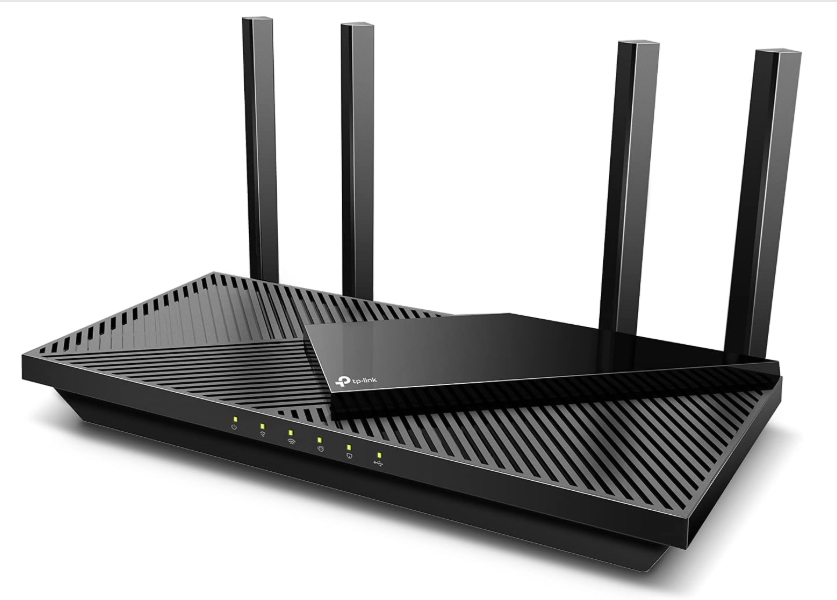
It’s possible to build a budget smart home setup. Entry-level Wi-Fi 6 routers can support modest smart home deployments effectively, particularly in smaller spaces. A strong option in this category is the TP-Link Archer AX55, which provides Wi-Fi 6 support and handles typical smart home traffic reliably at a low cost. Its support for OFDMA allows it to manage multiple IoT devices communicating simultaneously, which is essential even in budget setups.
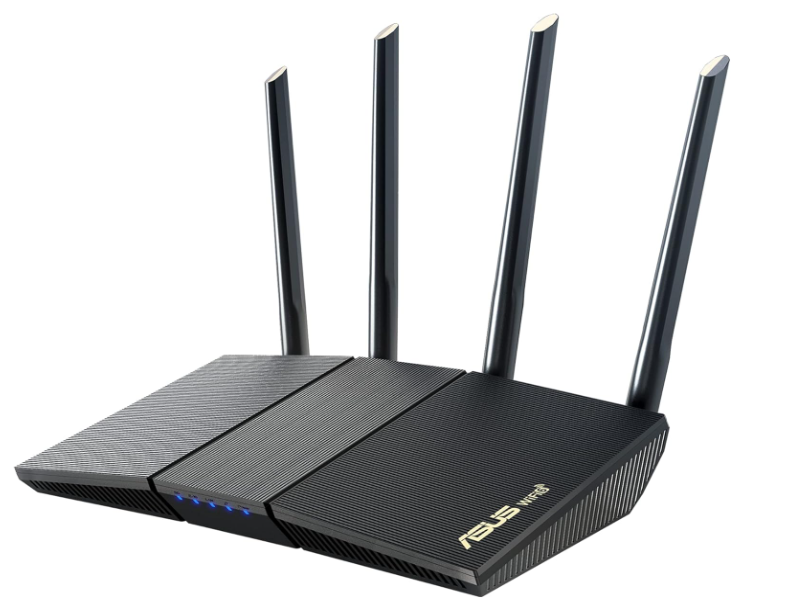
An alternative is the ASUS RT-AX55, which offers similar performance but includes more advanced configuration options. ASUS firmware provides better control over features such as network segmentation and security, making it suitable for users who want greater flexibility in managing their network.
However, both options have limitations. As device counts approach or exceed 40 active connections, performance can begin to degrade due to hardware constraints.
Small Apartments and Dense Environments (ASUS RT-AX86U)
In compact living spaces, stability matters more than coverage. A high-quality single-unit router with strong 2.4 GHz performance is more effective than a mesh system in most cases.
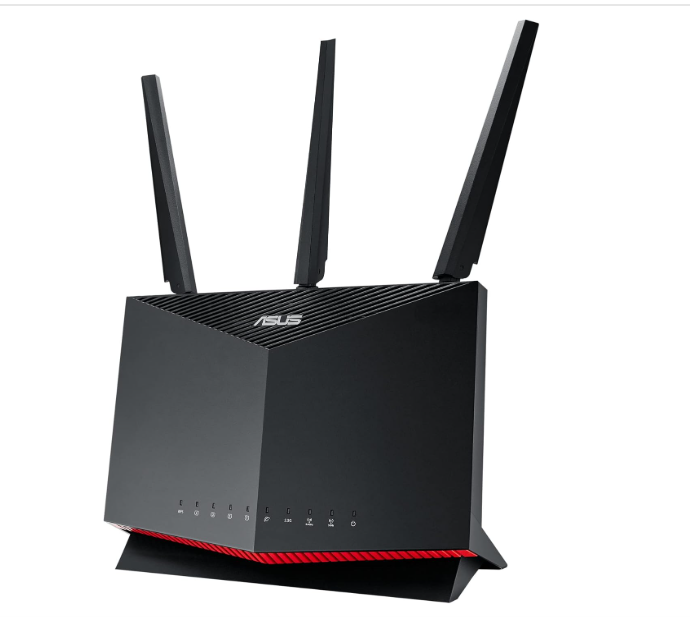
The ASUS RT-AX86U stands out in this category due to its ability to maintain stable connections under heavy device loads. Its 2.4 GHz radio performance is particularly strong, which is critical for IoT devices. In environments with dozens of connected devices, it consistently delivers low-latency responses, ensuring that automations feel immediate rather than delayed.
While it is more expensive than entry-level routers, the improvement in reliability makes it a worthwhile investment for dense smart home setups.
Large Homes and Multi-Floor Layouts (ASUS ZenWiFi Pro ET12)
For homes exceeding 2,000 square feet or with multiple floors, single routers are insufficient. Coverage gaps and signal attenuation require either mesh systems or wired access points.
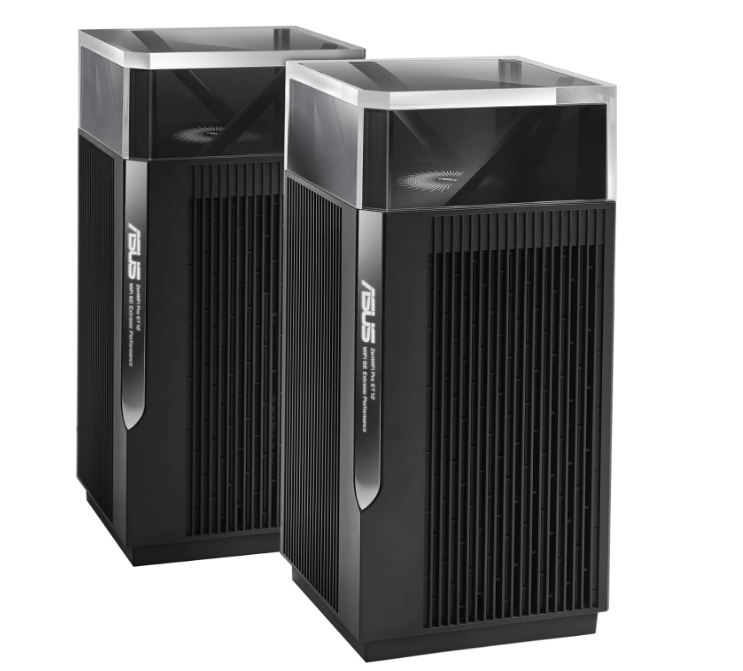
The ASUS ZenWiFi Pro ET12 is a high-performance solution designed for these environments. It is a tri-band Wi-Fi 6E system with a dedicated 6 GHz backhaul, which ensures that communication between nodes does not interfere with device traffic. When combined with wired backhaul, it delivers consistent performance across large spaces.
Range extenders, while inexpensive, are not ideal for smart homes. They often reduce effective bandwidth or introduce network fragmentation, both of which negatively impact automation reliability.
Mesh Networking for Smart Homes (Eero Pro 6E, TP-Link Deco XE75 Pro)
Not all mesh systems perform equally. The difference lies in how nodes communicate with each other.
Dual-Band Mesh (Shared Backhaul)
Budget mesh systems often use a shared radio for both device communication and node-to-node traffic. This creates contention and reduces responsiveness as device counts increase.
Tri-Band Mesh (Dedicated Backhaul)
Higher-end systems include a dedicated backhaul band, which separates node communication from device traffic. This significantly improves performance in smart homes with many connected devices.
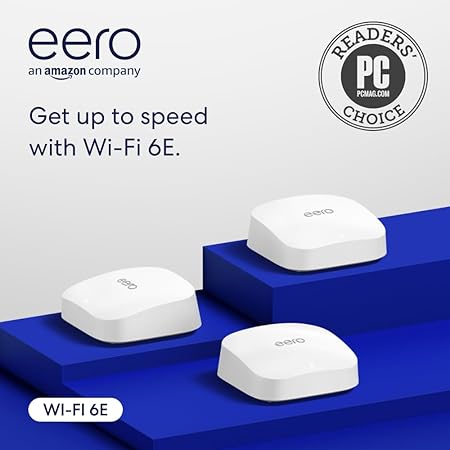
The Eero Pro 6E is a strong option in this category, particularly for users within the Amazon ecosystem. It includes built-in Thread Border Router functionality, allowing seamless integration with modern Matter-compatible devices. Its user-friendly interface also makes it accessible for non-technical users.
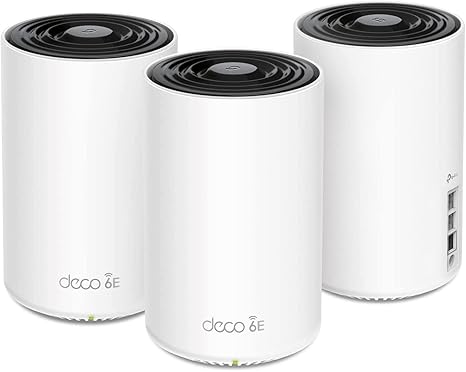
For those seeking more control without subscription-based features, the TP-Link Deco XE75 Pro offers a compelling alternative. It provides similar tri-band Wi-Fi 6E performance while allowing greater flexibility in network configuration.
Performance Tier Routers (ASUS RT-BE96U)
As smart homes scale beyond 50 devices, router hardware becomes increasingly important. High-performance routers offer stronger processors, more memory, and advanced firmware features that improve stability under load.
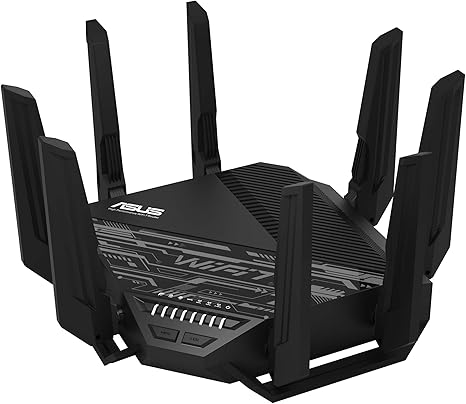
The ASUS RT-BE96U represents the next generation of networking with Wi-Fi 7 support. It introduces Multi-Link Operation, allowing devices to connect across multiple frequency bands simultaneously. This improves reliability and reduces congestion, particularly in dense environments.
While this level of performance exceeds the needs of most households, it is well-suited for advanced users who want a network capable of supporting large-scale smart home deployments for years to come.
Best Practices for Smart Home Networking
Regardless of the hardware selected, proper configuration is essential for optimal performance.
Isolate IoT Devices: Creating a dedicated SSID or VLAN for smart devices enhances security, reduces congestion, and improves automation responsiveness.
Prioritize Stability Over Speed: Consistent latency and reliable connections are more important than peak throughput in smart home environments.
Plan for Growth: Device counts will continue to increase. Choosing scalable infrastructure reduces the need for frequent upgrades.
Building a Smarter, More Reliable Home Network
There are many ways smart home automation improves daily life, but its effectiveness depends heavily on the underlying network. Many issues commonly attributed to devices are actually caused by limitations in routing hardware.
Selecting the right router requires understanding the unique demands of IoT traffic, including high device density, constant communication, and sensitivity to latency. Factors such as device handling capacity, 2.4 GHz performance, and mesh architecture play a more critical role than raw speed.
Investing in appropriate networking equipment and configuring it correctly delivers immediate and measurable improvements. In many cases, upgrading the router is the single most impactful step toward building a reliable and responsive smart home.
Similar Articles