 Back to Blog
 Your Smart Home Is Probably Broken Right Now
Why EVERY Smart Home Needs Matter in 2025
Let’s be honest: your current smart home setup is likely suffering from compatibility nightmares and sluggish responses. You buy a Philips Hue bulb for Apple HomeKit, then want to add an Aqara sensor for Google Home. Suddenly, nothing plays nice together. Sound familiar?
Fortunately, there’s finally a protocol that solves all of these problems. It’s called Matter, and it’s not just another buzzword—it’s the smart home revolution happening right now.
The Matter Protocol Explosion: By The Numbers

The adoption curve is staggering. In fact, Matter Protocol has grown 185% in just 12 months, with over 550 companies now supporting it. From household names like Philips Hue, Aqara, and Samsung to emerging smart home brands, everyone is betting on Matter as the unified future.
Here’s a stat that should grab your attention: Matter devices respond up to 10 times faster than traditional Wi-Fi smart devices. Instead of those frustrating 2-3 second delays, you get millisecond-level responses when you tap a button.
Additionally, the device ecosystem has exploded. Matter now supports over 800 certified devices, so you can finally build a truly mixed-brand smart home. No more compatibility research before every purchase.
However, here’s the kicker—most people set up Matter completely wrong and miss out on 90% of its potential. This guide ensures you won’t be one of them.
What Is Matter, Really? (It’s Probably Not What You Think)
There’s massive confusion about Matter, so let’s clarify right away.
First, understand that Matter is NOT a new wireless protocol like Wi-Fi or Bluetooth. That’s where most people get confused.
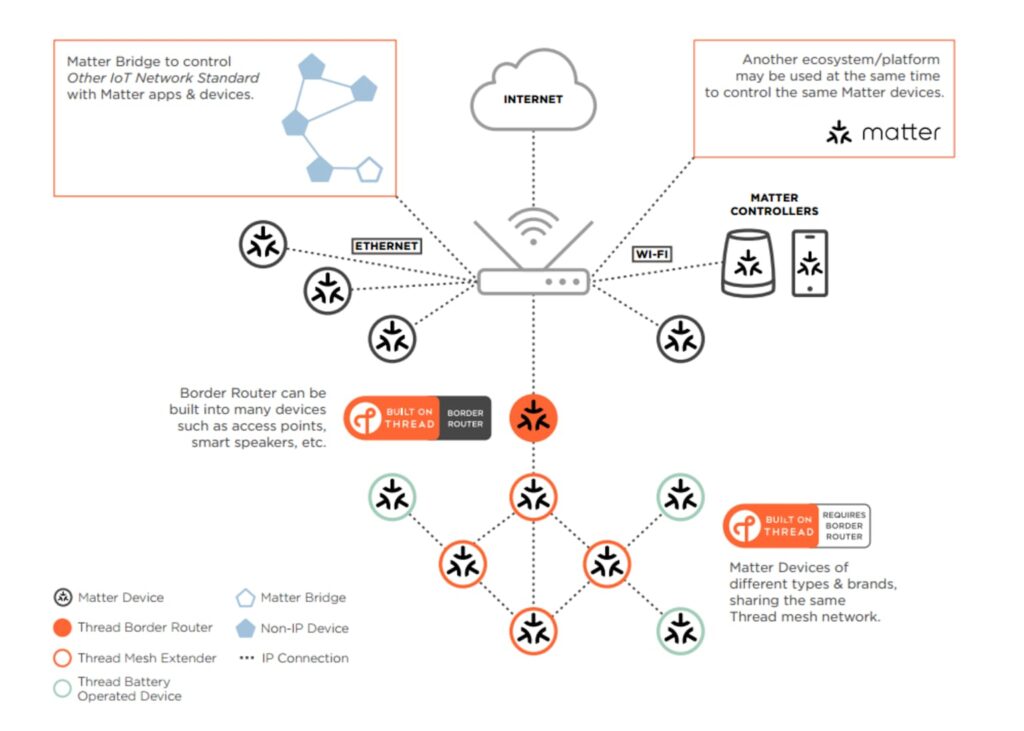
Instead, think of Matter as a universal translator that runs on top of existing networks—Wi-Fi, Thread, and even Ethernet. It sits between your devices and your network, creating a common language so everything understands everything else.
The One Language Concept
Imagine if every smart device in your home spoke the same language, regardless of brand. No more “This only works with Google Home” or “That’s locked into Apple’s ecosystem.” That’s exactly what Matter delivers.
The Connectivity Standards Alliance developed this protocol, bringing together Apple, Google, Amazon, and Samsung. Together, they created one unified standard that all manufacturers must follow. Essentially, it’s the smart home version of USB-C finally ending charging cable chaos.
What Makes Matter Revolutionary: Local Control
This feature is the game-changer that separates Matter from everything that came before.
Traditional smart devices ping servers thousands of miles away every single time you flip a switch. For example, your Philips Hue bulb talks to servers in Europe, while your Samsung thermostat pings California. As a result, every action depends on cloud connectivity.
With Matter, however, devices communicate directly within your home network. Your lights respond instantly, and your locks open without lag. Best of all, your smart home keeps working even if your internet goes down. Simply flip the switch, and the light turns on immediately—regardless of your connection status.
Consequently, you get military-grade encryption for local communication, true privacy since your data never leaves your home, instant millisecond responses, and reliability that cloud-dependent systems can never match.
Thread Networks Create Self-Healing Mesh
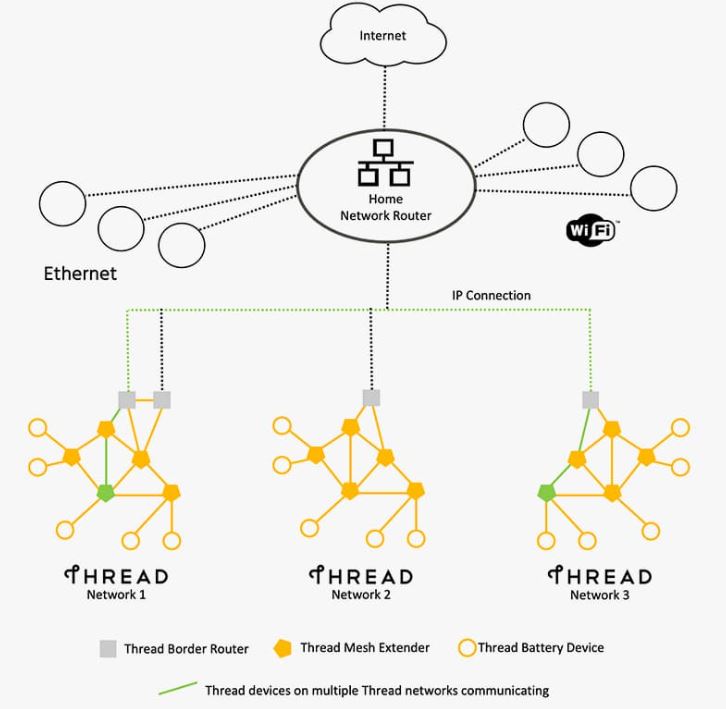
Matter’s power is amplified through Thread, a mesh networking protocol that devices use to communicate.
Here’s how it works: If one Thread device goes offline, the others automatically route around it. Essentially, your smart home has a backup plan for its backup plan. This creates a self-healing network that gets more reliable as you add devices—the opposite of traditional Wi-Fi setups.
The Real-World Impact: Setup Time, Speed, and Compatibility
Setup Time: From 10-15 Minutes to 2 Minutes
Traditional smart home setup is painful. First, you download the app. Then you create an account. Next, you fight with Wi-Fi passwords. After that, you configure settings. Finally, you repeat this process for every device, spending 10-15 minutes each time.
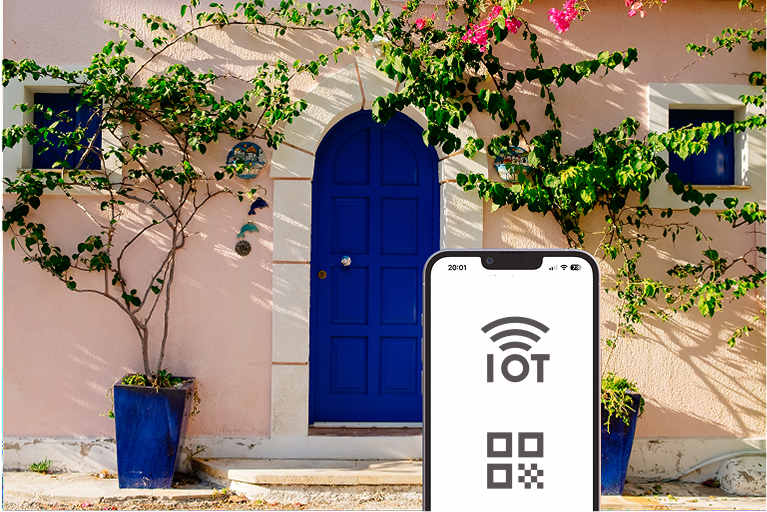
Matter devices, on the other hand, take under 2 minutes on average. Just scan a QR code, add it to your ecosystem, and you’re done. That’s it.
For someone building a 20-device smart home, this means the difference between 4 hours of frustration and just 40 minutes of setup.
Speed Comparison: The Millisecond Difference That Changes Everything
Let’s talk concrete numbers. Tests with identical Philips Hue bulbs show a dramatic difference: Matter bulbs on Thread networks respond in 40 milliseconds, while traditional Zigbee hub setups take 300+ milliseconds.
That’s over 7 times faster. You might think “So what? It’s just a few hundred milliseconds.” In practice, though, the difference is unmistakable. When you walk into a room, Matter-powered lights feel instantly responsive. By contrast, traditional setups feel sluggish and frustrating.
Cross-Platform Compatibility: The Death of Ecosystem Lock-In
This is where Matter truly shines.
Now you can buy an Aqara sensor and control it through Apple HomeKit, Google Home, AND Amazon Alexa—all at the same time. No more choosing one ecosystem and getting locked in forever. No more compatibility research before every purchase. If it has the Matter logo, it simply works everywhere.
As a result, this changes smart home purchasing forever. You can optimize for price, features, and design instead of being forced into one brand’s ecosystem.
Matter 1.4: The Game-Changing Update From Late 2024
Matter 1.4 launched in late 2024 with improvements that most people don’t even know about. Let’s break down what actually matters.
Enhanced Multi-Admin: Simultaneous Ecosystem Control
This update is huge for multi-platform households.
You can now connect your smart thermostat to Google Home for voice control, Apple HomeKit for automations, AND Samsung SmartThings for advanced scheduling—all at the same time, without conflicts.
Previously, picking your primary controller meant locking out other platforms. Now, though, you can use the best features from each platform simultaneously. Google’s voice control, Apple’s privacy focus, Samsung’s advanced scheduling—all on the same device.
Energy Management: Automated Savings
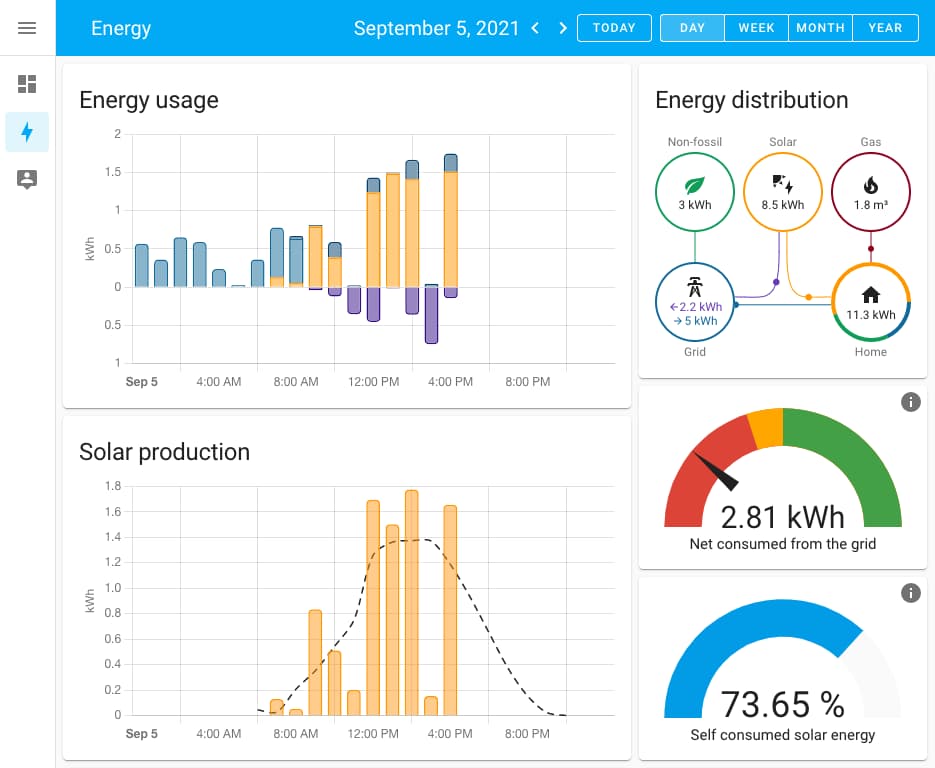
Matter 1.4 now supports solar panels, battery storage systems, heat pumps, and electric vehicle chargers.
Therefore, your smart home can automatically shift energy-heavy devices to run during off-peak hours. In other words, your water heater, EV charger, and air conditioning coordinate to minimize electricity costs.
For homeowners with solar systems, this capability is genuinely transformative. Your smart home becomes an energy management system that optimizes your entire house’s power usage. Potential savings? Hundreds of dollars annually.
Advanced Scene Support: Time-Based Automation
You can now create time-based scenes that work across ALL Matter devices. For instance, a sunset routine gradually dims lights over 30 minutes while doors lock and thermostats adjust. Similarly, a sunrise routine slowly brightens lights to simulate natural dawn while blinds open. Meanwhile, a bedtime scene drops the temperature, turns off lights, engages locks, and activates security cameras.
These scenes work across every manufacturer—Philips Hue bulbs, Aqara sensors, Samsung switches—all synchronized, all instant.
Quieter Reporting: 60% Less Network Chatter
Finally, Matter 1.4 reduces network chatter by up to 60%. This improvement means better battery life for wireless devices (5-10 years instead of 1-2), faster response times across your entire network, and reduced Wi-Fi congestion for your phones and laptops.
The Best Matter Devices to Buy Right Now (2025)
Lighting: Philips Hue Leads the Pack
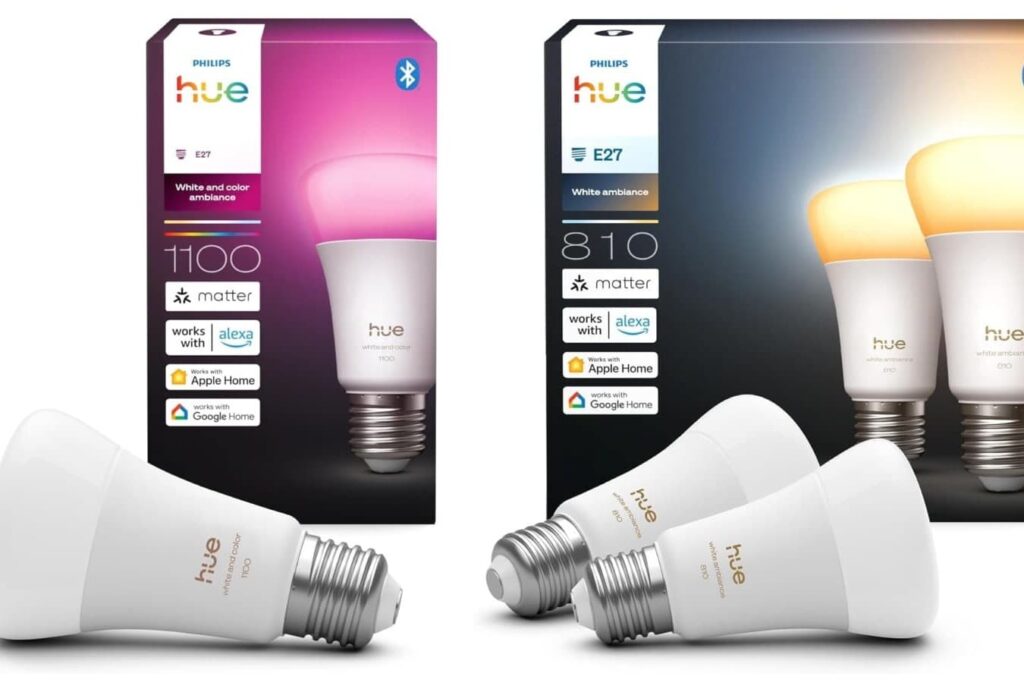
Philips Hue’s 2025 bulbs support Matter over Thread natively. As a result, you don’t even need a Hue Bridge anymore.
Key improvements include 40% reduced power consumption, improved color accuracy, direct Thread connectivity, and seamless integration with HomeKit, Google Home, and Alexa.
Best for: Anyone building a Matter-first smart lighting system.
Check out IKEA vs Philips Hue
Sensors & Automation: Aqara Dominates Value
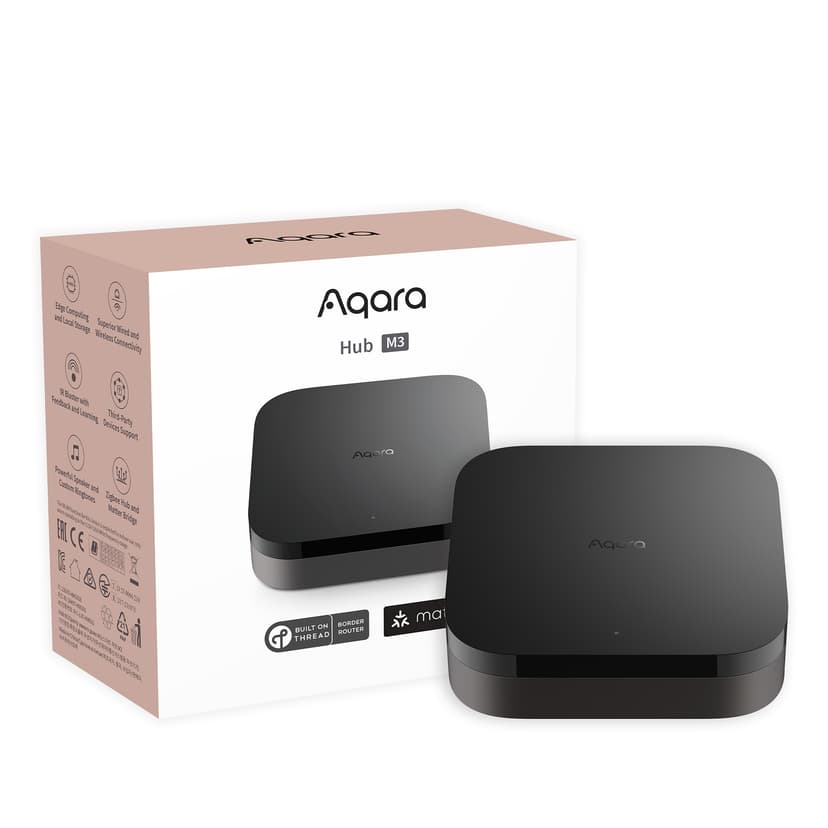
The Aqara Hub M3 is the Swiss Army knife of smart home hubs. It connects up to 130 Thread and Zigbee devices, acts as a Matter controller, and includes a 360-degree IR blaster for controlling non-smart devices like TVs and air conditioners. Even better, it’s priced under $50.
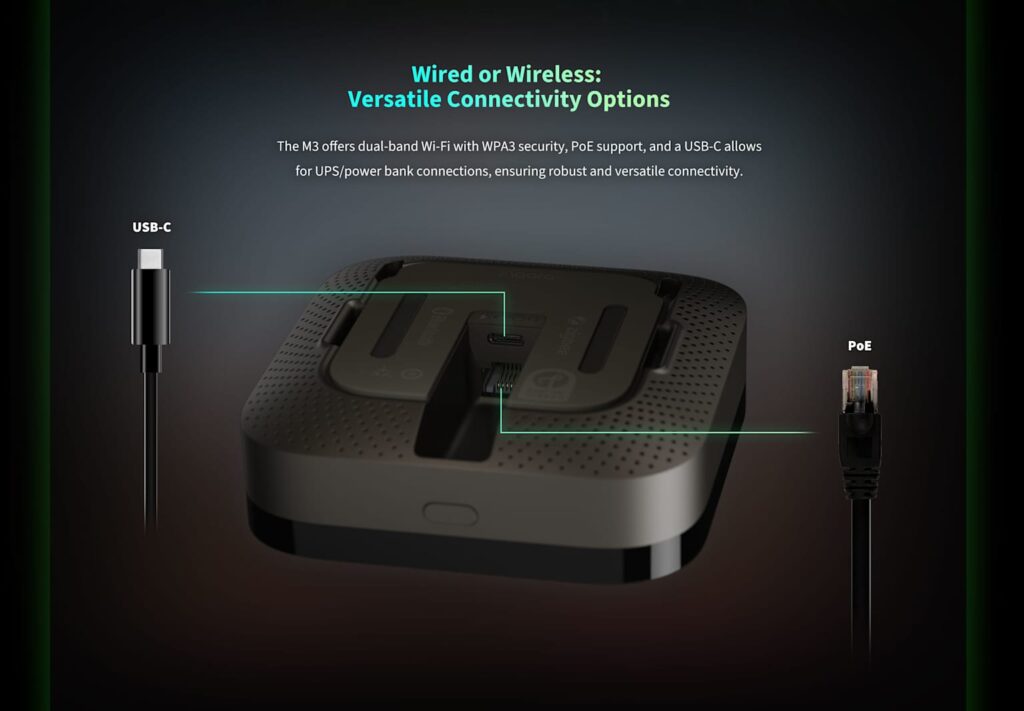
Their FP1E Presence Sensor is equally impressive. It detects human presence even when you’re sitting still—perfect for bathroom automation. Plus, it works in low light, avoids false negatives from pets, and enables context-aware automations.
Best for: Budget-conscious setups and presence-based automation.
Smart Locks: Nuki Smart Lock Pro 4th Generation
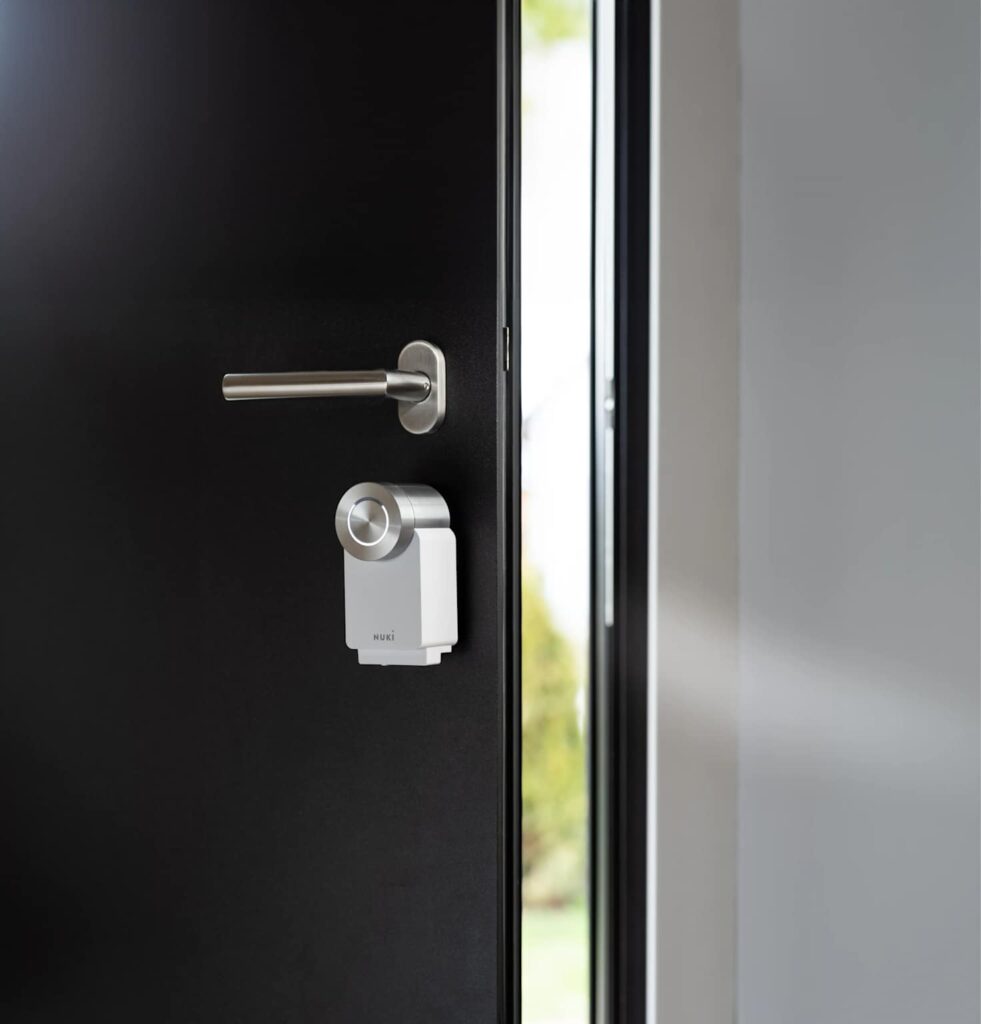
The Nuki Smart Lock Pro 4th Generation is currently the fastest smart lock on the market. It unlocks in under 1 second, supports Matter over Thread for instant response, and offers exceptional battery life. Additional features include auto-unlock when you approach, emergency access codes, and temporary guest keys. At over $300, it’s premium—but worth it for security and convenience.
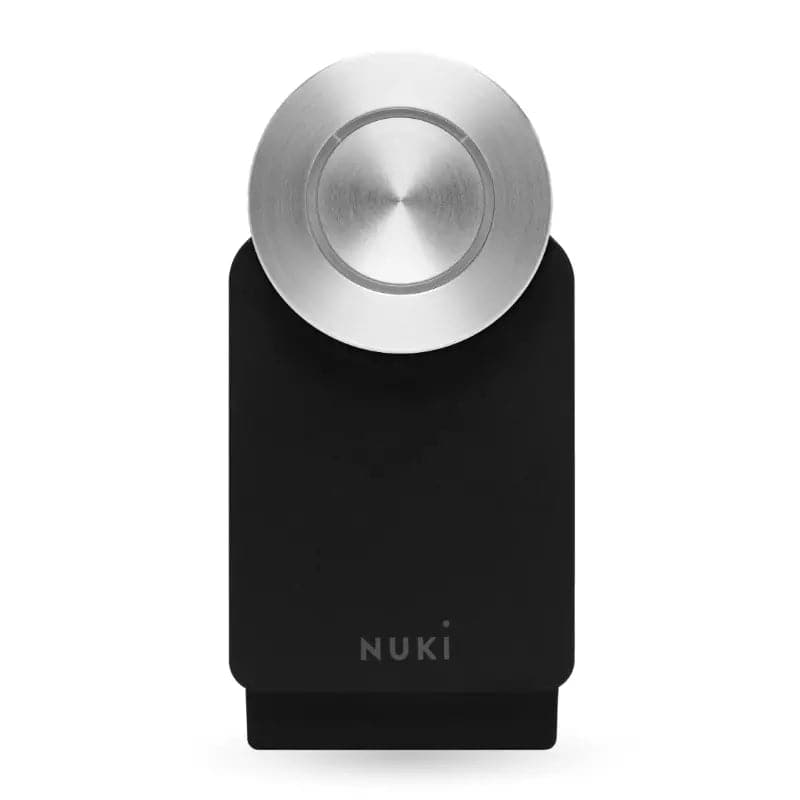
Best for: Anyone prioritizing security and lightning-fast access.
Budget-Friendly Essentials: Smart Plugs Under $15
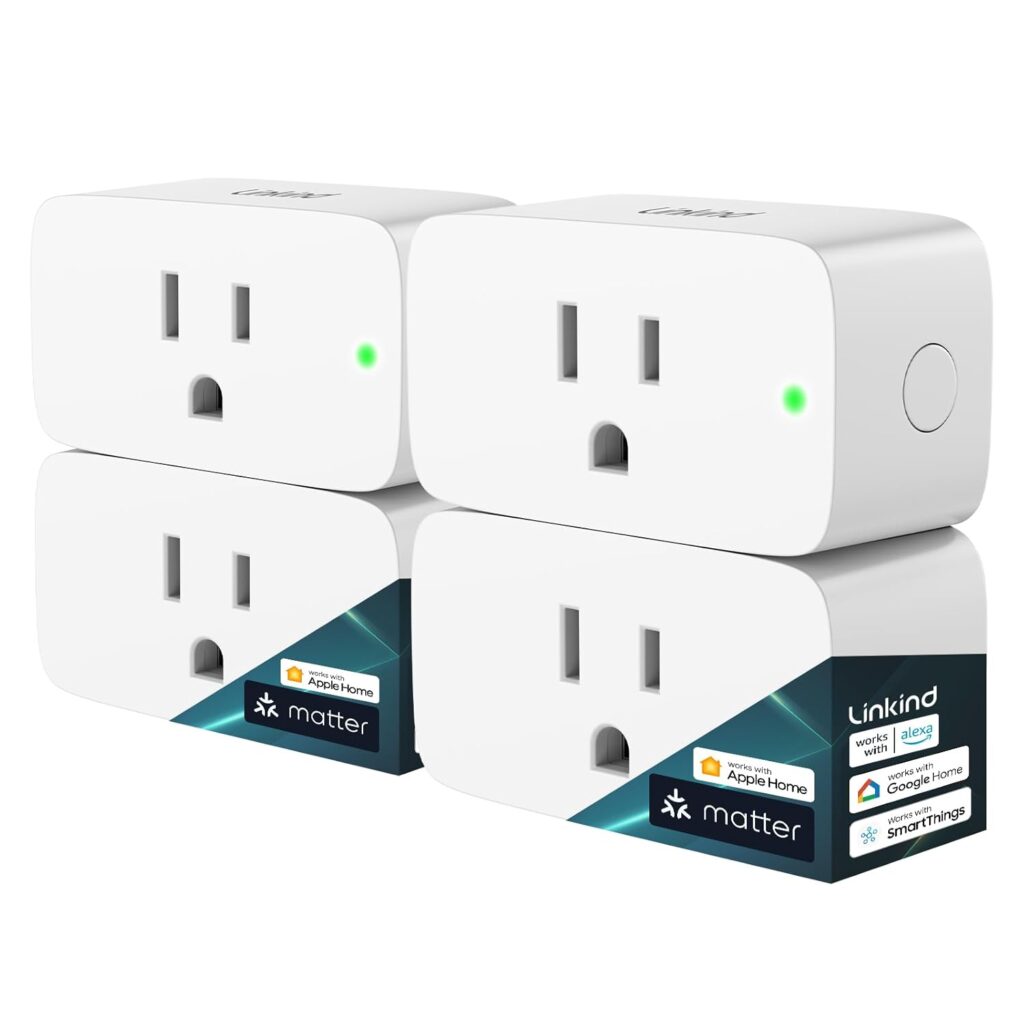
Linkind compact Matter plugs solve the biggest smart plug annoyance—blocking adjacent outlets. They feature a compact design that fits tight spaces, carry Matter certification, and cost under $15 per unit.
Best for: Building an affordable Matter ecosystem without replacing your entire setup.
The Complete Matter Setup Guide: Step-By-Step
Step 1: Choose Your Primary Ecosystem
Don’t try to juggle Apple Home, Google Assistant, and Alexa simultaneously from day one. Instead, choose ONE primary controller, then add others later as your confidence grows.
Why does this matter? Because this approach prevents network conflicts and ensures smooth initial setup. You can always expand once you understand how Matter works.
Decision guide:
- Apple HomeKit: Best for privacy and automation features
- Google Home: Best for voice control and ecosystem integration
- Amazon Alexa: Best for existing Alexa users and smart speakers
Step 2: Install a Thread Border Router
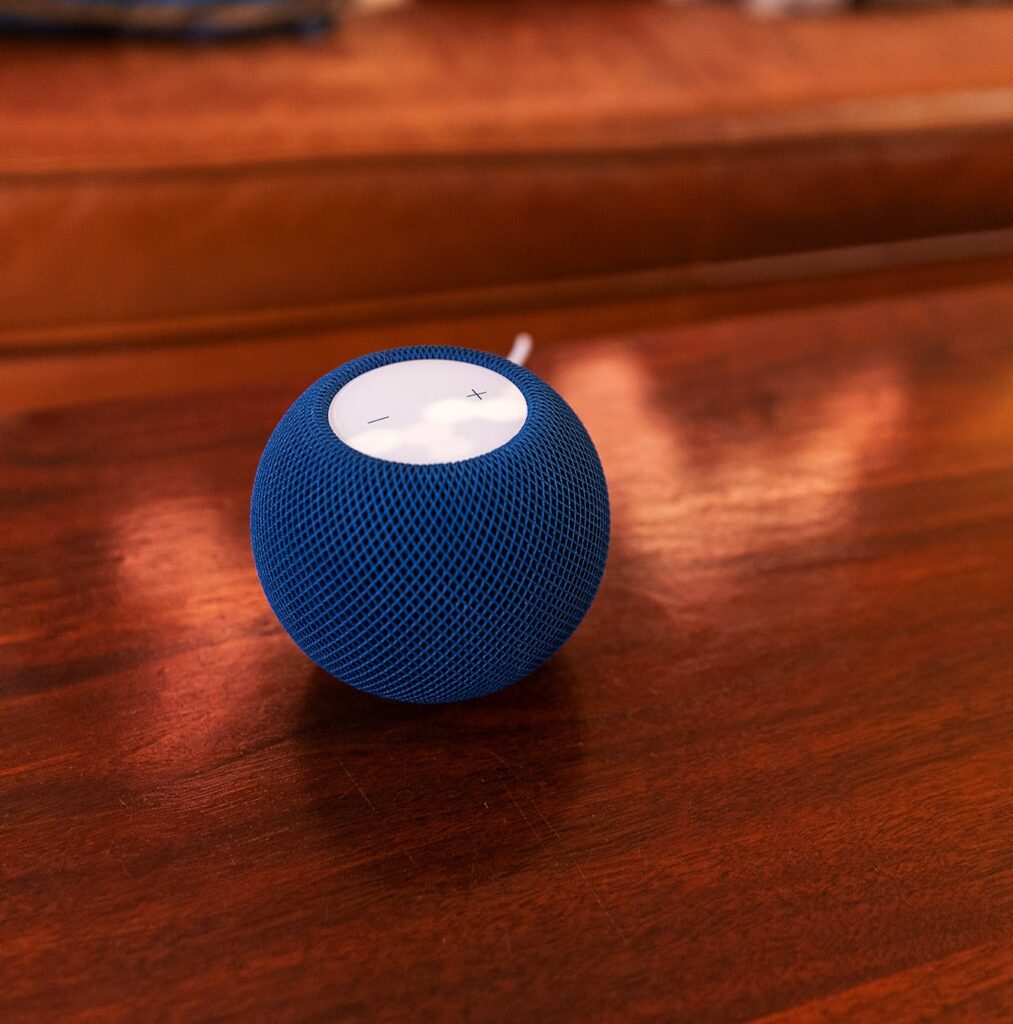
You need a Thread Border Router to create the mesh network your Matter devices use.
Good news—you probably already have one. Apple HomePod Mini, Google Nest Hub (any generation), and Amazon Echo (4th generation or newer) all work as border routers.
If you don’t have one of these, grab a dedicated Thread Border Router for about $50. These support more devices than smart speakers and provide better coverage.
Step 3: Add Devices ONE AT A TIME
Resist the temptation to add multiple devices at once. Doing so causes conflicts and connection failures.
Rather than rushing, follow this process: Scan the device’s QR code, wait for full connection (usually 30-60 seconds), confirm it shows as responsive in your app, and only then add the next device.
Patience here saves hours of troubleshooting later.
Step 4: Update Firmware Before Adding Devices
Before adding any device, check for firmware updates through the manufacturer’s app. Even if your smart home app says “up to date,” double-check on the vendor’s website.
Outdated firmware is the number one cause of connection problems. This single step alone prevents 70% of Matter setup issues.
Step 5: Optimize Device Placement
Thread devices need proper placement to maintain mesh connectivity. Keep devices within 30-50 feet of each other, and avoid placing them behind microwaves, in metal cabinets, or inside metal shelving. Also minimize interference by keeping Matter devices away from Wi-Fi routers broadcasting on the same channels. Most importantly, spread devices throughout your home rather than clustering them in one area.
Common Matter Problems (And How to Actually Fix Them)
Problem 1: Devices Keep Disconnecting
Root cause: Conflicting Wi-Fi networks
Solution: Create separate networks on your router. Use 2.4GHz exclusively for Matter devices and 5GHz for phones and laptops. Most modern routers let you broadcast these as separate networks.
Why does this work? Matter devices perform best on 2.4GHz, while 5GHz offers faster speeds but worse coverage and compatibility with smart home devices.
Problem 2: Device Not Responding
Before you panic and reset everything, try this simpler approach: Restart your Thread Border Router, wait 2 minutes, then test the device again.
This quick fix resolves about 70% of “not responding” issues without the hassle of full re-pairing.
Problem 3: Multiple Thread Networks Creating Chaos
If you have Apple HomePods, Google Nest devices, AND Amazon Echoes, they might create competing Thread networks that conflict.
To fix this, use your router’s admin panel or a Thread network debug tool to identify and consolidate networks. Your goal is ONE unified Thread network, not multiple competing ones.
Problem 4: Battery-Powered Devices Appearing Offline
Battery-powered sensors might not be truly offline—they’re just conserving power.
The solution is simple: Press a button or physically trigger the sensor. This wakes it up and re-establishes the connection. Often, they’ll disappear from “not responding” immediately.
Matter’s Roadmap: What’s Coming Next
The roadmap for Matter 1.5 and beyond is genuinely impressive. Upcoming features include security cameras with full Matter support, video doorbells with local processing, and advanced automation triggers based on activity recognition. Eventually, we’ll see facial recognition automation that maintains local privacy, along with activity-based scenes that adapt to your daily routines.
Essentially, your smart home will become truly intelligent. It will learn your patterns and automate your life—all without requiring cloud processing or sacrificing privacy.
The Financial Case: ROI and Long-Term Savings
Property Value: Smart Homes Command Premium
Smart home technology typically adds 3-5% to property value. On a $500,000 home, that translates to $15,000-$25,000 in increased resale value. Even a basic Matter setup can pay for itself through home value appreciation alone.
Energy Savings: Hundreds Per Year
Through intelligent automation and load shifting, comprehensive smart home setups achieve $1,000+ in annual energy savings. That estimate is actually conservative—some homeowners with solar and advanced automation see $2,000-$3,000 annually.
Payback Period: 2-3 Years
For a comprehensive smart home setup ($2,500-$4,000 initial investment), you’re looking at a 2-3 year payback period through energy savings alone. That’s before counting the property value increase.
The Bottom Line: Matter Isn’t Just Another Protocol
Here’s the hard truth: In 2025, buying non-Matter devices is like buying a flip phone in the smartphone era. You’ll get basic functionality, but you’ll miss out on the ecosystem that makes smart homes actually smart.
Matter isn’t the future—it’s the present. And it’s only getting better.
Your Action Plan: Start Small, Scale Smart
During week one, install a Thread Border Router. In week two, add lighting from Philips Hue or a similar brand. Over weeks three and four, add sensors and presence detection. Then during months two and three, expand to locks, thermostats, and energy management.
Begin with lighting and sensors—they provide immediate value and clearly showcase Matter’s benefits. Once you’re comfortable, expand to locks, thermostats, and advanced automation.
The smart home revolution is happening now. Matter Protocol gives you the tools to build a system that actually works together, responds instantly, and grows with your needs.
Don’t get left behind with yesterday’s compatibility nightmares. Embrace Matter, and welcome to the future of smart homes.
Product links:
Amazon Echo Dot (5th Gen) US: https://amzn.to/3K0Qahp
Amazon Echo Dot (5th Gen) EU: https://amzn.to/3WTAbEI
Aqara Hub M3 US: https://amzn.to/4hX8nJp
Aqara Hub M3 EU: https://amzn.to/3LD5LEn
Philips Hue 2xA19 RGB Starter Kit. US: https://amzn.to/489yGZo
Philips Hue 4xA19 RGB Pro Starter Kit. US: https://amzn.to/48c9hOI
Philips Hue Color Smart Bulb A19. US: https://amzn.to/4oN6ykL
Similar Articles